OEE & downtime intelligence
Capture every stop with its real reason, not the one someone remembered at end of shift.
Discrete manufacturingQUBIQ connects OPC UA, MQTT, Modbus and your databases into a single real-time tree — then gives you pipelines, operator screens, alarming and a historian on top of it. An AI assistant reads that same tree, so questions get answered from live data rather than from a document. Unlimited tags. Unlimited clients. One licence.
Reads and writes the systems you already run
OPC UA, MQTT, Sparkplug B, Modbus, Allen-Bradley (EtherNet/IP), Siemens S7, SNMP, TCP/UDP and REST — one installer, each switched on by your licence.
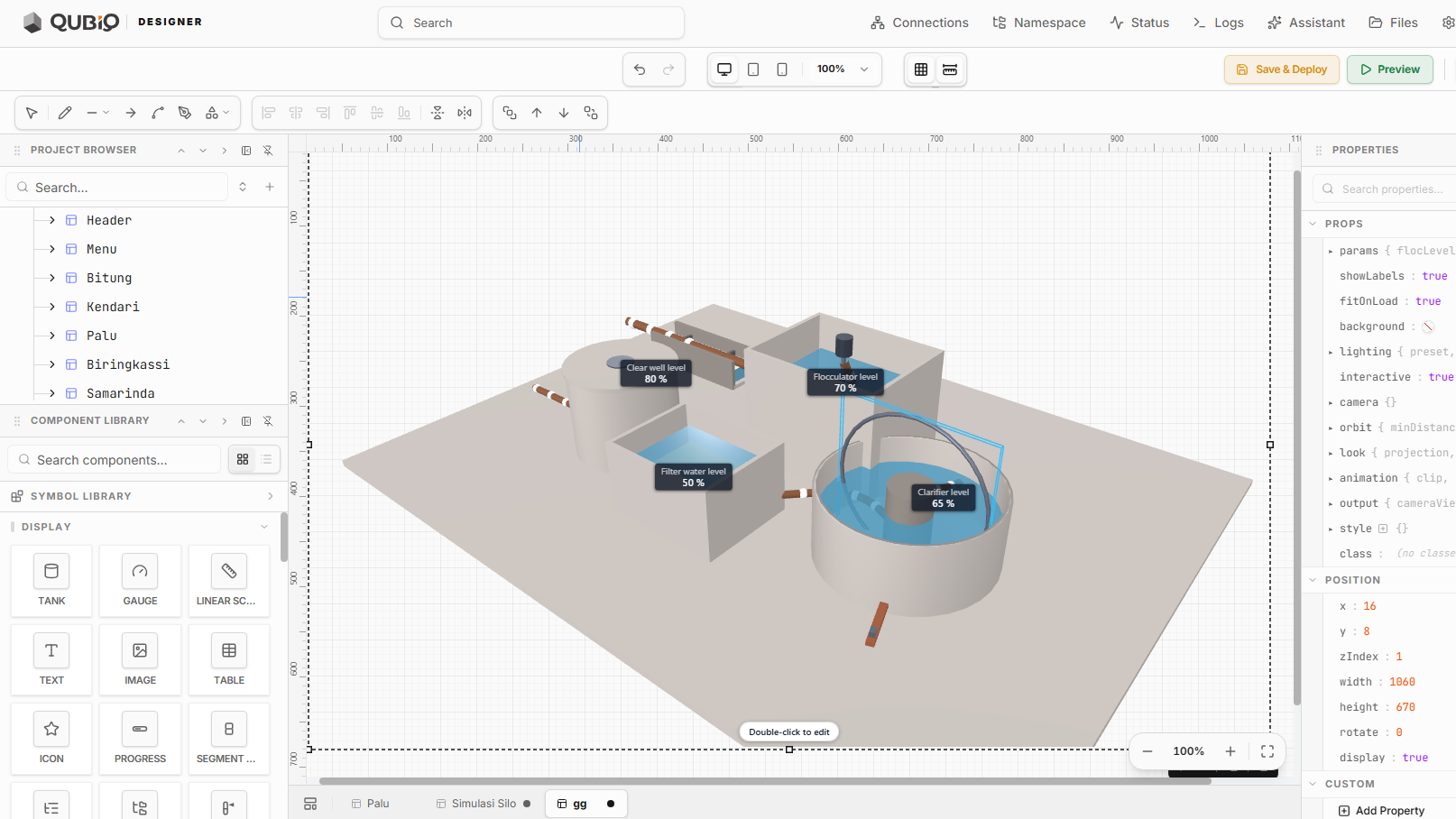
Charts, tables, forms, alarms, maps, HMI and P&ID symbols and 3D — plus 9 vector drawing tools.
One binary. No JVM and no runtime to install.
Licensed per server. Adding a signal never changes the price.
The same four steps whether you are instrumenting one line or forty plants. Each one is a place you can stop and still have something useful.
Point QUBIQ at a PLC, a broker, a meter or a database. Drivers are pooled, reconnect on their own and report their own health.
Define an asset type once, instantiate it everywhere. Raw addresses become Site/Line3/Filler/Torque — readable by anyone.
Compose pipelines and operator screens against the model. Live values render on every wire while you are still building.
Alarm it, historise it, secure it, and roll it out to a fleet — with staged deploys and automatic rollback.
The same four moves, done live — from a raw OPC UA tag to a dashboard someone on the floor actually reads.
Every capability below ships in the same binary and shares the same namespace. There is nothing to bolt together, and nothing that stops working when one vendor changes their API.
DB1.DBW24 means something to exactly one person, and they are on holiday. A typed namespace means the pump on Line 3 is addressed the same way at every site — so screens, scripts, reports and your data team all agree without a meeting.

Most industrial AI is a search box over a PDF. Ours is connected to the running system: it reads your namespace, inspects pipelines and queries history through real tools. Engineers get the answer without writing the query — and the people who sign off get it without waiting for the engineer.

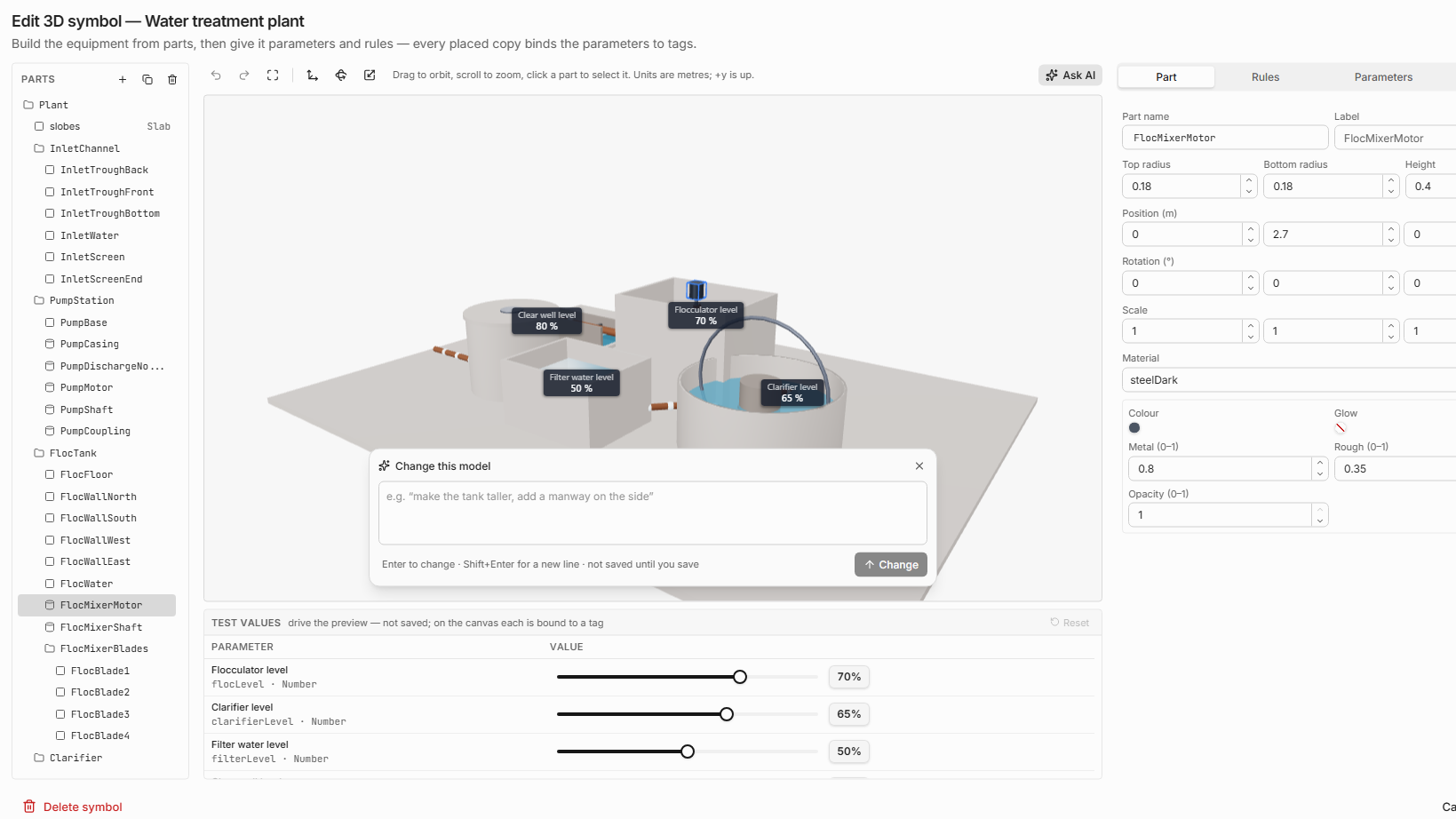
Bring the plant in as a 3D model — import a glTF / GLB file, or describe it to Ask AI and let it draft one — then give its parts parameters and rules. Every placed copy binds them to live tags: levels glide to each new value, labels follow their part as the camera orbits, and the values are the same ones feeding your trends and alarms, so the model cannot quietly fall out of date.
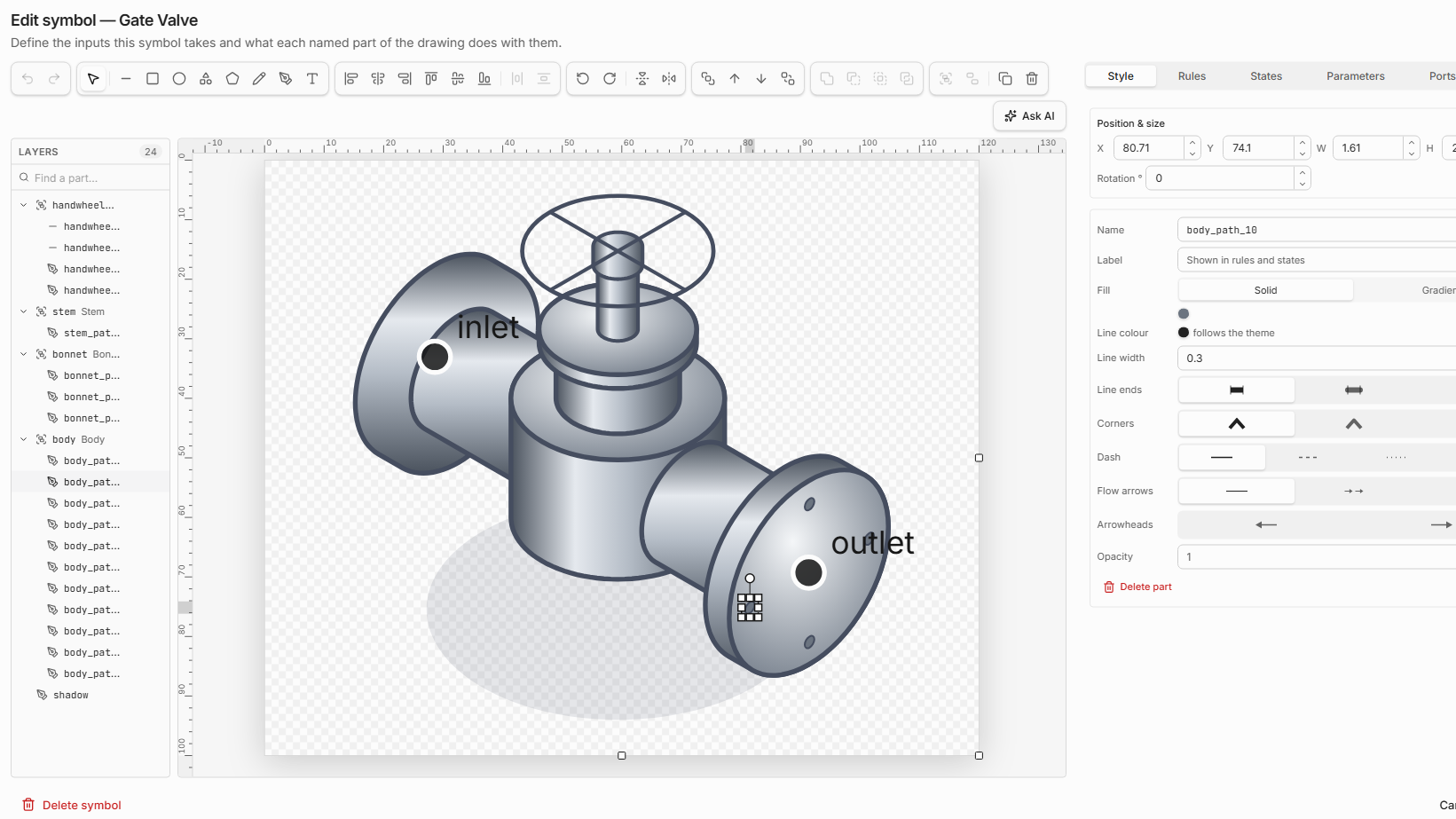
Import an SVG from any drawing tool, or draw one from scratch with pen, shapes, text, gradients and boolean operations. Name its parts, give it parameters, states and rules, and every copy you place fills, spins, changes colour and shows flow from live values. Ask AI can draw one from a sentence — flat, shaded 3D or perspective.
Certified implementations, not thin wrappers. Every driver is pooled, buffered and observable — and reports its own health as a tag you can alarm on.
Client with subscription batching and pooled sessions.
MQTT client, pooled and buffered, with automatic reconnect.
Primary host: birth/death certificates, sequence and state. Part of the MQTT module.
Master with scan grouping and explicit byte-order control.
v1/v2c/v3 polling and traps, with a built-in MIB compiler.
Raw sockets for the devices that speak nothing standard.
Inbound routes and outbound calls, both scope-controlled.
S7comm to S7-300/400 and non-optimized S7-1200/1500 blocks, by absolute address.
EtherNet/IP and CIP to Logix controllers, with symbol browse and UDT templates.
These are the six projects that pay for the platform. Most sites start with one and expand once the namespace exists.
Capture every stop with its real reason, not the one someone remembered at end of shift.
Discrete manufacturingMeter every asset, allocate every kilowatt-hour, and see cost per unit produced in real time.
Cross-industryTrend vibration, temperature and current draw against the asset model — and alert before the failure.
Process & discreteElectronic batch records assembled from the process data you already collect.
Pharma & foodA model of the line driven by the line — bind a glTF model to live tags.
Cross-industryBring switches, UPSs and PDUs into the same namespace as the process.
Cross-industryWe would rather build against real plants than collect logos. Design partners get a named engineer, direct influence on the roadmap, and licence terms fixed for the life of the deployment.

Protocol walkthroughs, deep dives and recorded sessions.
Architecture, protocols and post-mortems — written by our engineers, not by a content agency.

Most UNS designs fail in month three, when the second site does not fit the model. Here is the hierarchy discipline that prevents it.

Birth certificates, death certificates and the primary host. What each one actually does, and the three mistakes that cause phantom stale data.

Adding 40,000 tags one at a time takes eleven minutes. Batched, it takes nine seconds. Here is what the server is actually doing.
The download is the whole platform — every feature is enabled and there is no card to enter. Connect it to your own equipment and see for yourself.